Use cleared nodes and chapter summaries as a visual index of where you have already played, especially after a bad ending or a long break.
Story Map guide • Updated August 11, 2026
Road to Empress Story Map: Track Chapters, Routes & 100% Progress
The Story Map is the practical bridge between a first playthrough and a clean completion run. Use it to revisit cleared chapter nodes, remember where a branch split, and decide whether your next task belongs in the walkthrough, endings guide, or achievements checklist.
Quick answer
What is the Road to Empress Story Map?
It is the in-game route and chapter-review area for a branching story. It helps you see which chapter or scene has been cleared, return to a known point, and organize the branches you still need to test. It is not an online map, a live choice calculator, or proof of the single best answer. For exact consequences, pair the Story Map with a save log, the walkthrough, the endings guide, and the achievements page.
Evidence and limits
What the map can tell you—and what it cannot
Story Map advice is useful when it stays close to the visible game state and labels community testing separately from official product facts.A map shows where a route diverges, but it may not reveal the hidden condition. Record witnesses, evidence, tone, and the save used before testing again.
The linked Steam community guide documents how players use Story Map and chapter-result screens. It is a player resource, not an official manual or patch guarantee.
The map does not prove that one English answer works across every language, release build, or route state. Treat exact conditions as evidence-led and version-aware.
How to use the Story Map after a first run
Start with the result screen or chapter summary that you just completed. Confirm that the node, reward, or route marker actually registered before you close the menu. A surprising number of completion problems are state problems: the scene finished, but the player did not reopen the result panel, claim the reward, or return to the next map point.
On a blind first run, use the map as a memory aid rather than a spoiler checklist. Mark the chapter, scene mood, public or private setting, witnesses, and immediate consequence in your save notes. If a later ending feels wrong, the map tells you where to return; your notes explain which variable to change.
- Open the latest result or chapter-summary screen before replaying a long section.
- Name saves with chapter, scene, and route state instead of only using an automatic slot.
- Separate a completed node from a completed ending: they are related, but not identical.
Story Map versus chapters, walkthrough, endings, and achievements
These pages answer different questions. The chapter guide is the place to confirm the official I and II chapter counts. The walkthrough explains how to read a scene and preserve a branch. The endings guide is for route outcomes and bad-ending cleanup. The achievements guide is for Feats, Steam achievements, interface actions, and 100% planning. The Story Map sits across those tasks as your visual progress index.
That boundary matters for search and for play. If you publish a full choice table inside a Story Map article, the page becomes a weaker copy of the walkthrough. Instead, explain how to locate the relevant node, then send the reader to the narrower page that owns the consequence or reward.
- Chapters = how the game is numbered and organized.
- Walkthrough = how to read choices and protect progress.
- Endings = which route outcomes and locks you still need.
- Achievements = reward, Feats, and interface cleanup.
- Story Map = where your route state is visible and where to return.

A reliable 100% cleanup loop
Do not chase every missing marker at once. Finish one stable route, return to the map, and write down the exact nodes or summaries that remain incomplete. Then create a separate cleanup save. This keeps a successful ending safe while you test a risky branch or a small interface collectible.
Use four short columns in your checklist: route progress, ending progress, Feats progress, and interface progress. Route progress covers chapters and side-story nodes. Ending progress covers survival, relationship, and bad-ending outcomes. Feats progress covers rewards and achievement conditions. Interface progress covers replayable messages, screenshots, hidden clips, hints, or result-screen actions.
- Finish and verify the current route before loading an older branch.
- Check the map after the result, reward, or chapter-summary transition.
- Record the exact node name or visual marker, not only a vague chapter number.
- Use the achievements guide when a missing item is a reward or Feat rather than a story branch.
When a cleared chapter summary is missing
First, return to the most recent result screen instead of replaying the entire story. Confirm that the game saved the outcome, that the chapter or node is marked as cleared, and that any reward or summary action was opened. Then reopen the Story Map and look for the next transition. A route can appear stuck when the narrative state is complete but the menu state has not been acknowledged.
If the marker is still missing, reproduce the issue with one variable changed. Note the build, language, chapter, scene, witnesses, objective, and save slot. Compare the result with a first-party update note or a clearly labeled community report. Do not turn one player's workaround into a universal best-choice claim.
- Check the result and reward screens before restarting.
- Change one variable per test so the cause remains identifiable.
- Keep language and version information with the report.
- Move to the choices or walkthrough guide when the problem is a branch condition, not a map display.
What the Story Map does not replace
A map is a navigation aid, not a complete route database. It may show that a branch exists without explaining whether the trigger was a public statement, a witness, an earlier favor, a saved item, or a hidden relationship state. Those conditions belong in a careful walkthrough or a verified community test.
It also does not make spoiler control disappear. A visible node can suggest that a route exists even when you do not yet know its ending. If you want a blind first playthrough, use the map only to recover from a deadlock and keep the endings guide closed until the story is finished.
- Do not call a community screenshot an official UI reference.
- Do not promise one universal answer for every language or patch.
- Do not count a visible node as a completed ending automatically.
Useful sources
Official and community references
Official store facts and player-tested navigation advice are kept separate.Common questions
Road to Empress Story Map FAQ
Open the most recent result or chapter-summary screen after a scene, confirm that the outcome registered, and then return to the Story Map or chapter menu. If the marker is missing, test the transition again with a named save before replaying the whole route.
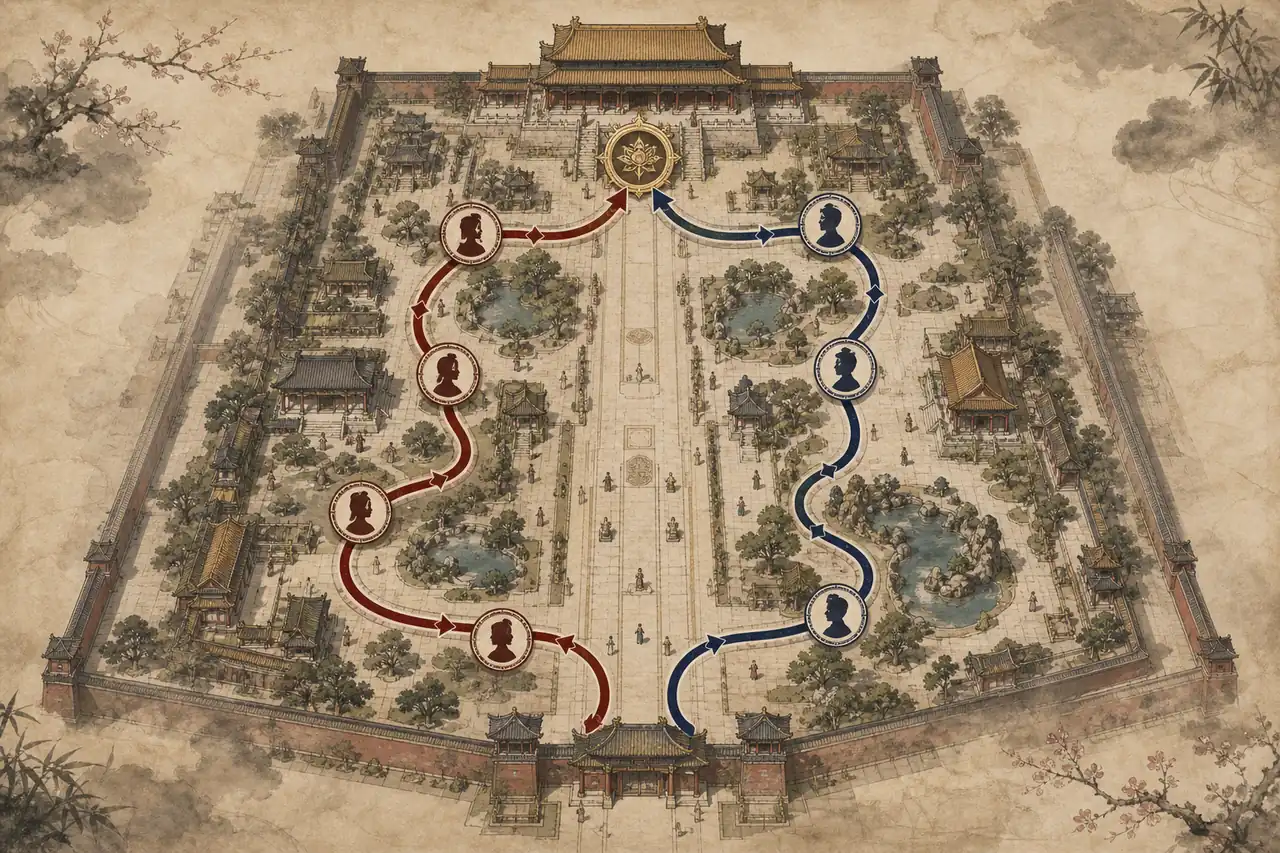
No. In this guide, Story Map means the in-game route and chapter-review area. The editorial route image on this page is only a concept illustration, not a screenshot or an online interactive map.
Not reliably. It can help you find a cleared node or a branch you have not tested, but it may not expose the hidden condition behind that branch. Use the walkthrough and a save log for exact choice testing.
No. Story progress, ending progress, Feats, Steam achievements, and interface actions can overlap without being identical. Track them in separate columns and use the achievements guide for reward conditions.
Use it lightly. A first run can stay spoiler-safe if you use Story Map only to recover a lost node or confirm where a save belongs, then return to the story without opening a full ending checklist.
Related Road to Empress guides